
For every job at your kindergarten ready-made modules
Field-tested modules designed around the real needs of kindergartens. You don't buy modules one by one: the Mini package includes the core modules, the Pro package includes all modules.
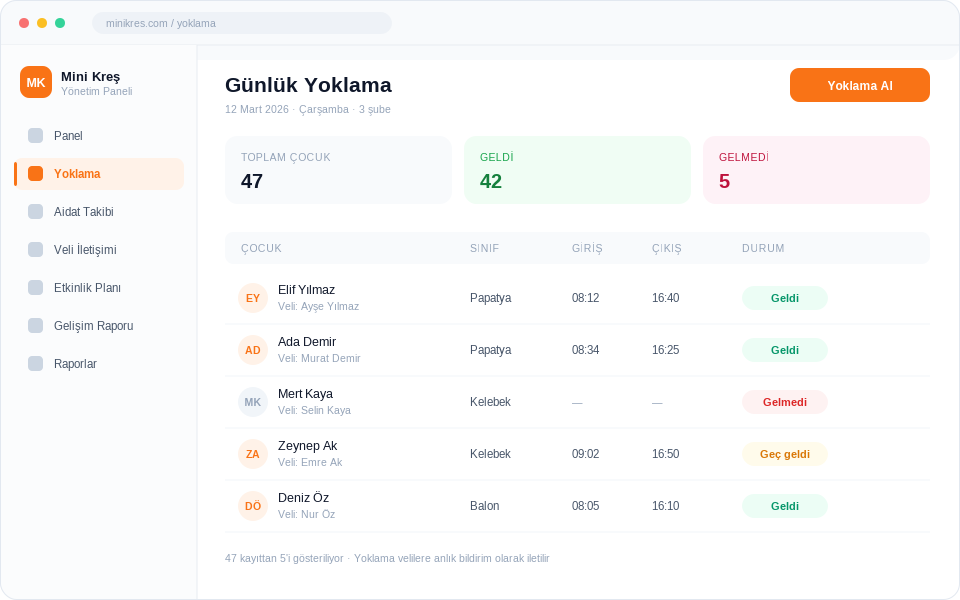
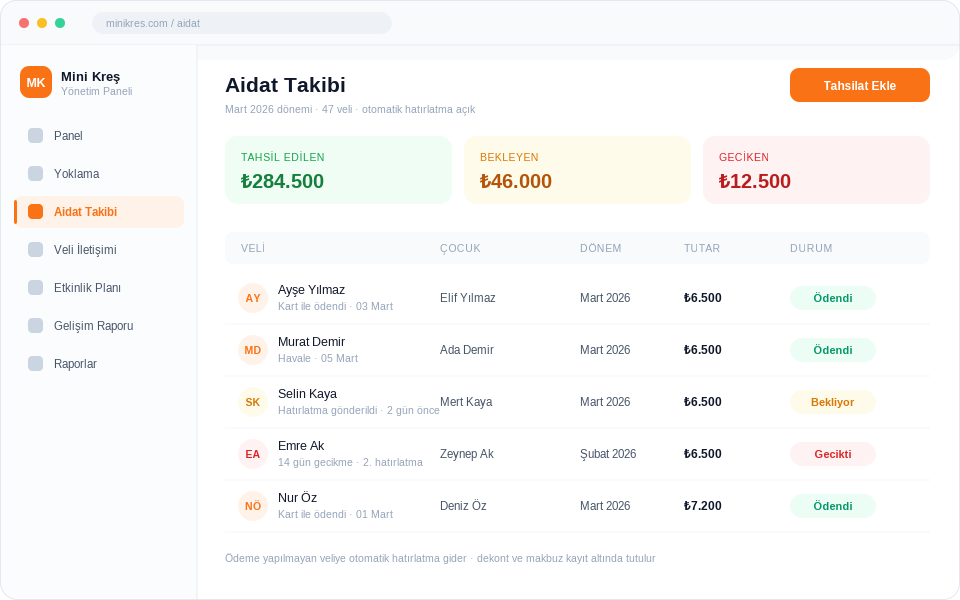
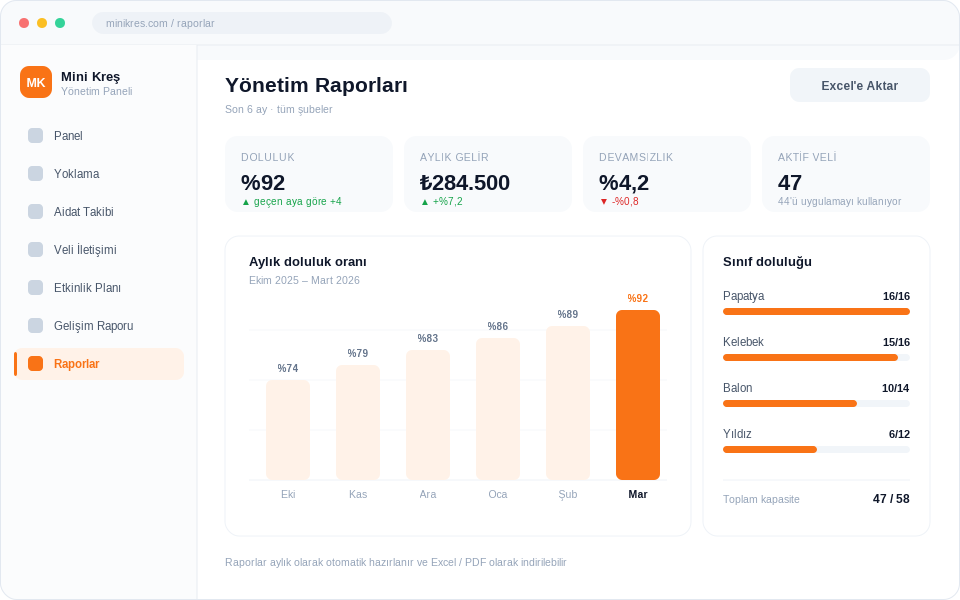
Images are representative screens prepared to showcase the product.
Daily tracking
Attendance & Absence
Take daily attendance in 30 seconds, send instant push notifications to parents.
- ✓4-state attendance (Present/Absent/Excused/Late)
- ✓Automatic parent push notification for every state
- ✓14-day per-student attendance history
- ✓Monthly/term attendance report + Excel export (Pro)
Daily Tracking
Especially for ages 2-3: water, toilet, diaper, mood, daily note.
- ✓Number of cups of water drunk
- ✓Toilet count (or diaper changes)
- ✓Mood — choice of 5 emojis
- ✓Daily summary note (optional)
Nutrition Tracking
Track how much each child eats by meal, parents see it instantly.
- ✓Separate records for breakfast / lunch / afternoon snack
- ✓For each child: all / half / a little / didn't eat
- ✓Automatic parent push: 'Mavi ate everything 🍽'
- ✓Integrated with the weekly menu
Weekly Menu
Monday-Friday × 3-meal grid. A ready answer to the question parents ask the most.
- ✓5 days × breakfast/lunch/afternoon snack
- ✓Previous/next week navigation
- ✓Parent sees it instantly on the home screen
- ✓One-click copy-paste
Sleep Tracking
The topic parents wonder about most — 'did they sleep?' is answered in seconds.
- ✓3-state record (slept/slept a little/didn't sleep)
- ✓Automatic parent push: 'Nisan slept well 😴'
- ✓Bulk entry per class
- ✓Per-student history
Health Tracking
Height-weight + medication + vaccination schedule — a health record for each student.
- ✓Periodic height-weight measurement records
- ✓Active medications + 'Given' log
- ✓Vaccine records: name, planned date and a 'done' mark
- ✓Teacher manages everything from a single screen
Development Assessment & Report Card
Comprehensive age-based assessment across 6 areas + radar chart + term report card. (Educational observation, not a medical diagnosis.)
- ✓6 areas: language, cognitive, attention-memory, social-emotional, motor, self-care
- ✓Age-based auto rubric + age-norm interpretation + recommendations
- ✓Radar chart, term trend + kindergarten-wide dashboard
- ✓Parents see it in the report card · plus daily development notes
Weather & Clothing
Temperature + 'what to dress them in today' suggestion on the parent home screen.
- ✓Up-to-date weather for your kindergarten's location
- ✓Temperature + condition + icon
- ✓Automatic clothing suggestion (coat/raincoat..)
- ✓Loads fast, updated throughout the day
Morning Traffic Assistant
Every morning before arrival time, parents get a notification with that day's expected road congestion and a recommended departure time — at no extra charge, regardless of the number of parents.
- ✓Departure time suggestion personalized to the day's conditions
- ✓Color-coded congestion level (green/yellow/orange/red)
- ✓Parents share their home location only if they choose to; it is used only to calculate the departure time and for the kindergarten's bus/map planning
- ✓Automatic 'leave early' alert on rainy and busy mornings
- ✓Unlimited parents — no extra fee as the number of parents grows
Parent communication
Photo & Video Sharing
The day's photos and videos upload straight to the cloud in seconds, with no waiting. Videos can be up to 100 MB in the Mini package and up to 500 MB in Pro; parents see them right away.
- ✓Dozens of photos + videos at once (camera/gallery)
- ✓Instant direct-to-cloud upload — no freezing or waiting
- ✓Only the tagged child's parents see their photo
- ✓Untagged photos go to all parents of the class, with an instant notification
Announcements & News
Announcements targeted at a single parent, a class, or the whole kindergarten + a separate news feed.
- ✓Target selection: parent / class / whole kindergarten
- ✓Automatic archiving with end date
- ✓Push to targets when an announcement is published
- ✓News in a separate feed, long-form content
- ✓📊 Announcement poll: event RSVP 'We'll come / Can't come', results visible to the kindergarten
Announcement Poll
Add a single-choice poll to your announcements; parents mark attendance and you see results instantly.
- ✓Add options like 'We'll come / Can't come' to an announcement
- ✓Instant notification to parents; one-tap response
- ✓Answers editable until the deadline + named results
Messaging
Two-way messaging between parent ↔ teacher and parent ↔ admin, overseen by the admin.
- ✓Admin can message anyone they want
- ✓Parent can message the admin directly
- ✓Unread message badge (red dot)
- ✓Push to the other side on every new message
Instant Push Notifications
All important events reach parents, teachers and admins instantly as notifications.
- ✓Chrome/Safari/Firefox all platforms
- ✓Targeting by user role
- ✓Messages, announcements, attendance, tuition, photos — all of them
- ✓Reply chain + read tracking
Online Appointment System
Online appointments between parents and counseling/class teachers — no more unscheduled parent walk-ins.
- ✓Teacher's weekly availability template (Mon 14:00-16:00 etc.) — system generates 30-min slots
- ✓Parent picks an available slot from mobile, writes the reason, instant approval
- ✓Automatic reminder push 24h + 1h beforehand (to both sides)
- ✓Exception calendar — teacher can block 'I'm off tomorrow'
- ✓'Upcoming appointment' badge + live countdown on the parent home page
- ✓Monthly performance report: completed/no-show/cancelled + total time + topic breakdown (for teacher and admin)
Parent Portal
The parent lives the child's day live — everything on a single screen.
- ✓Today's feed: attendance + meals + sleep + photos
- ✓Weather + clothing suggestion
- ✓Tuition status month by month + total balance
- ✓Messaging + announcements + menu
One Account, the Whole Family
A parent with several children manages them all from one screen. Those who are both parent and teacher at the same school switch roles with one tap.
- ✓Multiple children: one login, all in one list
- ✓Parent ↔ teacher role switch with one tap
- ✓No logging out and back in
Parent Experience in 6 Languages
Your foreign and multicultural parents use the app in their own language — Turkish, English, German, Russian, Arabic and Bosnian.
- ✓Each parent picks their language; it's remembered next login
- ✓Interface in 6 languages; notifications in Turkish, English, German, Russian and Arabic
- ✓Full right-to-left (RTL) support for Arabic
Birthday Reminder
The system runs automatically every morning at 08:00, never forgotten.
- ✓Scans children whose birthday is that day
- ✓A separate push goes to parents
- ✓Push also to teachers and admins
- ✓In time to prepare a celebration in class
Calendar Export (iCal)
Add events to your phone's calendar (Google Calendar / Apple Calendar) with one tap.
- ✓Add to calendar as .ics with one tap
- ✓Re-add new events whenever you like
- ✓Separate feeds for admin and parent
- ✓Exported events stay visible in your phone's calendar even offline
PWA Installation
Install Mini Kreş on parent and teacher phones like a native app.
- ✓Install prompt on Chrome / Safari
- ✓Add icon to home screen
- ✓Opens with one tap from the home screen
- ✓Status bar compatible, native look
Payments & accounting
Tuition & Collection
Monthly collection tracking; parents see their own payment/balance status, with instant receipt notification on payment.
- ✓Monthly payment list (student × month)
- ✓Method: Cash / Bank Transfer / Card / Other
- ✓Push to parent when tuition is received: '💰 4.500₺'
- ✓Monthly total collection % progress · Excel (Pro)
Payment Plan & Installments
Define an annual plan, down payment and installments per student; paid/remaining calculated automatically.
- ✓Create down-payment + installment plans
- ✓Partial payments and remaining-balance tracking
- ✓Parents see their own child's plan
- ✓Automatic reminders when overdue (Pro)
Accounting & Financial Management
Manage your nursery's cash box, expenses and monthly financial summary in one place.
- ✓Cash box and cash-flow tracking
- ✓Expense ledger with colored categories
- ✓Collected fees are automatically recorded as income
- ✓Consolidated monthly financial summary (Pro)
Safety & handover
Pickup Security
Control over who can pick up each child + daily check-in/check-out log.
- ✓Authorized persons list (mother/father/nanny + national ID)
- ✓One-tap '✓ Arrived' button (morning)
- ✓Authorized person selection at handover
- ✓Log: who, when, to whom the child was handed over
- ✓Door bell: parent sends 'Arrived / On my way'
- ✓QR-based secure handover: teacher scans the parent's QR to confirm
QR Secure Handover
Parents generate a QR code for the authorized person in the app; the teacher scans it at the door to confirm handover in seconds.
- ✓A unique QR code for each authorized person
- ✓Teacher scans with the camera (no PIN/ID needed)
- ✓Reduces wrong-person handover risk + every handover is logged
Door Bell (On My Way)
When a parent is near the kindergarten they tap 'Arrived' or 'On my way'; the teacher is notified instantly.
- ✓Parent taps 'Arrived / On my way' in one touch
- ✓Instant push to teacher/manager
- ✓Child gets ready for handover — no waiting at the door
Voice Reception Announcer
When a parent reaches the door, the reception screen reads their name aloud — the pickup-time crowd disappears. Best of all: no extra device needed.
- ✓Opens in the browser of your existing computer/tablet/phone
- ✓No need to buy a kiosk or special hardware
- ✓Voice in 6 languages + female/male voice option
Emergency Card
In a possible crisis, the teacher gets to it in 3 seconds — vitally important.
- ✓Blood type + allergies for each student
- ✓One-tap call to family phone numbers
- ✓Per-class filter
- ✓Allergic students highlighted
Management & staff
Online Pre-Registration & Final Enrollment
Collect prospect applications from your website; convert them into a student and parent account in one click.
- ✓Embedded online pre-registration form — prospects listed automatically
- ✓Lead tracking: pending / contacted / accepted / rejected
- ✓Final Enrollment: student + parent + login account in one click
- ✓Instant push + email to the admin on every application
Bulk Student Import
Import hundreds of students and parents from Excel in minutes at season start.
- ✓Bulk student + parent import via Excel template
- ✓Automatic parent account creation and class matching
- ✓Error/missing-row validation, duplicate prevention
- ✓Integrated with the previous-term transfer wizard
Reports & Excel Export
The full data flow for the admin — presented visually, downloadable to Excel.
- ✓Date-range attendance report
- ✓Tuition summary (monthly + yearly)
- ✓Top 10 students with the lowest attendance
- ✓Three separate Excel files: attendance/collection/students
Multi-Branch Management
The head-office manager sees all approved branches from a single account and switches between them with one tap.
- ✓All branches on one screen
- ✓Each branch's data is kept separate
- ✓Organization-wide announcements
- ✓Consolidated financial summary
Shuttle Tracking
Routes, driver info, student assignments — all in one place.
- ✓Route + driver + plate + phone
- ✓Student-route matching + stop name
- ✓Unassigned students list
- ✓Parent can call the driver with one tap
Staff Shifts
Teachers clock in/out from their phone, the admin sees the history.
- ✓One-tap '✓ Clock In' / '✗ Clock Out'
- ✓Mark leave / sick note / excuse
- ✓30-day shift history + total hours
- ✓Check-in/check-out records via PDKS / QR code
Smart Activity Assistant
Teachers no longer spend every day hunting for activities: based on the child's age, developmental area and the season, the assistant suggests a suitable one from 500 ready-made activities in a second, and one tap brings a new one if they're not happy with it. Parents also discover activities they can do with their children at home.
Teacher · Activity Assistant
500 ready-made, age-appropriate activities · step-by-step guidance · balanced learning areas · a fresh idea every time with "suggest a new one".
Parent · Activities at Home
Parents discover activities they can do together at home, matched to their child's age.
Innovations That Strengthen the Parent Bond
Smart touches that bring teachers and parents closer every day and cut down on phone calls.
Parent Reminder
If there's been no update during the day, a parent can send a gentle reminder with one tap (once a day).
Absence Notice
A parent says "not coming tomorrow" and the teacher knows in advance — no more phone calls.
Material Request
The teacher asks for "an empty box tomorrow" and parents get an instant notification.
End-of-Day Summary
An automatic summary for parents every evening: arrival · meals · nap · photos.
Term Management & Archive
Each school year is its own term. When moving to a new term, you carry your students over selectively (promotion / graduation by class), and past terms freeze exactly as they were — you can always look back whenever you want.
Year Transition Wizard
Classes, teachers, students — you choose what to carry over.
Promotion & Graduation
Mark students as staying / promoted to a higher class / graduated, by class.
Import from Previous Term
Bring students from a past term into the current one with a single click.
Full Archive
Class, student, payment and attendance records from past terms.
📌 Past-term records are kept read-only throughout your subscription and are always accessible.
File Upload Sizes
The file sizes you can upload at once in the gallery, announcements and documents:
Photo
30 MB
Video
100 / 500 MB
Mini / Pro
PDF / Document
95 MB
Videos are automatically compressed after upload while preserving quality.
Frequently Asked Questions
The things people most want to know about Mini Kreş's features and modules.
Which modules does Mini Kreş include?
Mini Kreş brings attendance, meals, sleep, photo/video sharing, parent messaging, announcements, fee collection, bus (route) tracking, health/development records, activity planning and reporting together in a single panel. It also offers a smart activity assistant that suggests from 500 ready-made activities, end-of-day summaries, absence and material notifications, and term management/archiving.
How many different user roles are there (admin, teacher, parent)?
There are three separate interfaces: Admin (school setup, class/student/staff management, fees and reports), Teacher (daily attendance, meals, sleep, photo sharing, parent communication) and Parent (their child's daily feed, photos, messaging and online fee payment). Each role can only access the data it's authorized to see.
Is there a mobile app?
Yes. Mini Kreş has a native mobile app for both iOS and Android with push notification support. Parents receive photos, announcements and payment reminders instantly. Full access is also available through a web browser.
Is it KVKK compliant?
Mini Kreş is designed with the KVKK (Turkish data protection law) requirements for processing children's data in mind: role-based access, photo-sharing consent management, data minimization and privacy notices. Personal contact details such as email and phone are not shown between users — only names are visible.
Can I export my data?
Yes. You can export records such as students, payments and attendance. Past-term records are archived as read-only throughout your subscription and remain accessible at all times for your legal and archival needs.
How long do setup and migration take?
Because Mini Kreş is cloud-based (SaaS), you don't need to install any software at your nursery — you start right away from a browser or the app. You can import student and parent details in bulk and complete class-teacher matching in no time. You can try the setup with a 14-day free trial, without entering any card details.
Custom needs, custom solutions
Do you have a special requirement for your kindergarten? Request a demo and our team will build the most suitable package for you.